The previous article provided context on the UK graduate job market and discussed my motivation for building GradGlance.
This article will be more technical as it will focus on GradGlance Application Design and Development.
Systems Design
GradGlance is a full-stack application built with React(TypeScript) on the client-side and Python(FastAPI) on the backend. The application leverages Selenium for web-scraping and MongoDB as its database solution. GradGlance runs from a Linux server and uses Cron to schedule daily data fetching and scraping jobs.
The image below shows GradGlance systems design, highlighting the flow of data between major application components.
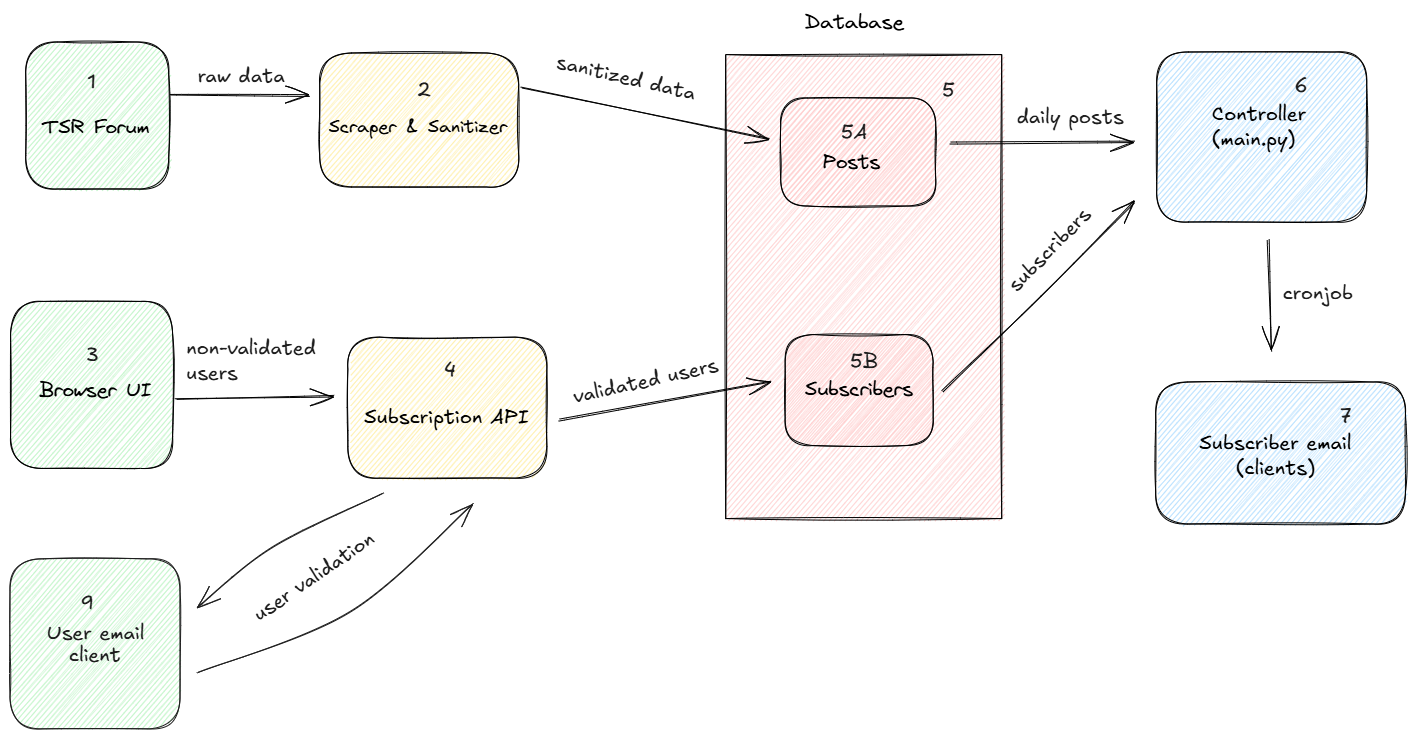 GradGlance Systems Design
Systems Design Walkthrough
Career posts from the The Student Room (TSR) Forum (1) are scraped using Selenium and sanitized via a sequence of Python functions (2) to fit with application requirements. The processed career posts are validated and inserted into a MongoDB Posts Collection (5A).
The application features a landing page built with React & Typescript which helps users understand what the service does. The User Interface (UI) also features a form to facilitate the process of acquiring new subscribers.
User email from the UI Subscription Form (3) is processed by the Subscription API (4), performing symmetric encryption on the client email. The encrypted email string is then appended to the validation link as a query parameter. This link is embedded into the validation email being sent to the client (9). Clicking on the validation link from the client email performs a decryption operation on the backend and adds the user email to the MongoDB User collection (5B) upon success.
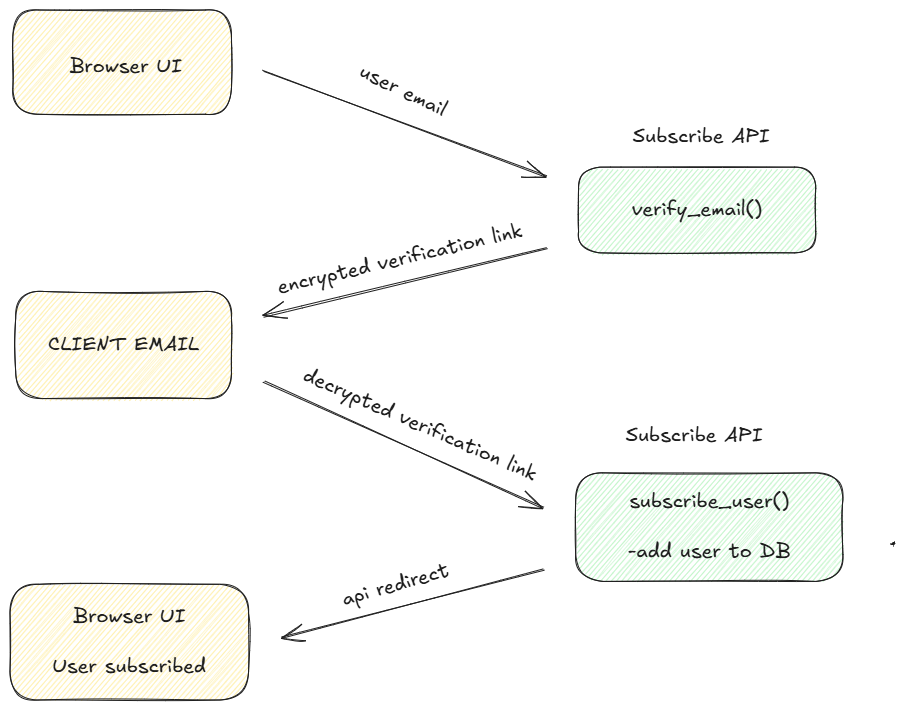 API Subscribe flow
- To unsubscribe from the service, the user clicks on the custom Unsubscribe from Gradglance button at the bottom of the daily email. This action interacts with the backend API to remove the subscriber data from the MongoDB User Collection and redirects to a screen on the frontend upon success.
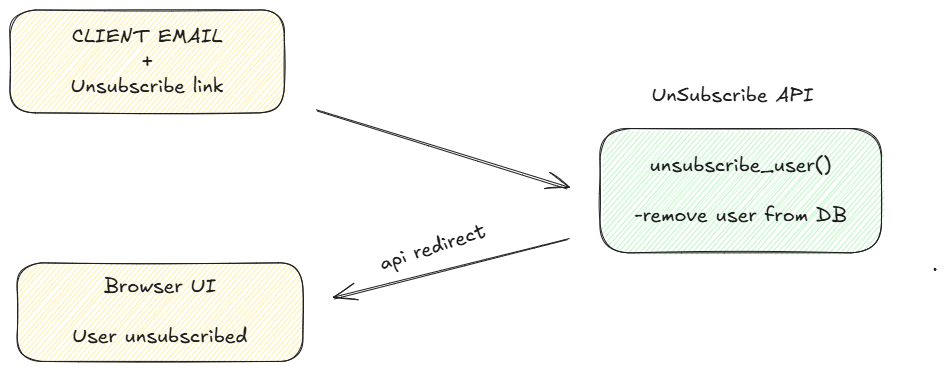 API Unsubscribe flow
- The Controller (6) fetches the latest job posts every morning from the TSR Forum and performs a set difference computation to obtain the changed (new and updated) posts by comparing the present day’s data with the previous day’s data. The code snippet below shows a function in the controller file that identifies the changed posts between daily runs.
def get_changed_post_ids_between_curr_and_prev_batch(current_post_ids, current_posts, previous_post_ids, previous_posts):

    changed_ids=[]

    # ids that are in current but not in previous batch
    novel_ids = list(set(current_post_ids).difference(set(previous_post_ids)))
    # ids common to both previous and current batches
    common_ids= list(set(current_post_ids).intersection(set(previous_post_ids)))

    # get list of intersecting posts in prev
    common_posts_prev = []
    for d in common_ids:
        for el in previous_posts:
            if d in el.values():
                common_posts_prev.append(el)

    # get list of intersecting posts in curr
    common_posts_curr = []
    for d in common_ids:
        for el in current_posts:
            if d in el.values():
                common_posts_curr.append(el)

    #compare change in replies to decide change
    for c,p in zip(common_posts_curr, common_posts_prev):
        if c["replies"] != p["replies"]:
            #append post in current patch that changed
            changed_ids.append(c["post_id"])

    total_changed_ids = changed_ids + novel_ids
    logging.info(f"Changed Posts IDs: {str(total_changed_ids)}")

    return total_changed_ids
Controller function that computes data changes between runs
- Emails containing the changed and trending posts are consequently sent to the subscribers’ emails (7)
Database (#5, #5a & #5b)
The Database (5) shown above is central to the backend design of the application. GradGlance uses MongoDB, a NoSQL database to store application data. The database stores posts scraped from the first page of the TSR Forum. It also stores subscriber information upon successful email validation. In addition to these, by giving the application access to the previous day’s data, the database enables the computation that shows the difference between the present and previous day’s data, unlocking value for users in the process.
The Posts Collection (see below) contains information such as post_id, post_title, last_active, batch_id and assessed time. The batch_id identifies a group of posts inserted into the database at the same period, enabling operations such as bulk updates and bulk deletes to be carried out on stored data.
{
    _id: "6fffffffffff00000000000000",
    post_id:"thread_title_1234567",
    post_title:"Company X 2025 Graduate Scheme",
    last_active:"13 hours ago",
    replies:40,
    links:"https://thestudentroom.co.uk/showthread.php?t=1234567",
    batch_id:"1731488233",
    assessed_time:2024-11-13T08:57:13.270+00:00
}
Sample entry in Posts Collection
Similarly, items in the Users Collection (see below) contains information such as unique _id, email, register_time and register_id
{
_id:"66ffffffff111111111111111",
email:"[email protected]",
register_time:2024-09-23T06:05:07.058+00:00
register_id:"123456789"
}
Sample entry in Users Collection
In order to stay within the MongoDB free-tier, the Posts collection keeps no more than 7 days worth of scraped data. This was achieved by implementing a cleanup function in the controller file. This function uses the batch_id property of posts to identify stale posts and performs a bulk delete operation accordingly. The cleanup function (see below) is triggered immediately after emails are sent to subscribers.
def cleanup():

    #maintain no more than 7 records in the DB
    batch_ids= set()
    for post in postCollection.find():
        b= post["batch_id"]
        batch_ids.add(b)

    sorted_batch_ids_list = sorted(list(batch_ids), reverse=True)

    if len(sorted_batch_ids_list) >7:
        delete_list = sorted_batch_ids_list[7:]

        deleted =postCollection.delete_many({ "batch_id": { "$in": delete_list } })

        logging.info(f"{deleted.deleted_count} documents deleted")
Cleanup function
User Interface Design
The landing page (UI) serves two core functions. First, it helps to articulate the value proposition of GradGlance clearly and directly to the new user. Second, it guides the user to subscribe to the service. With these aims in mind, I got to work by casually sketching the User Interface during a long train commute.
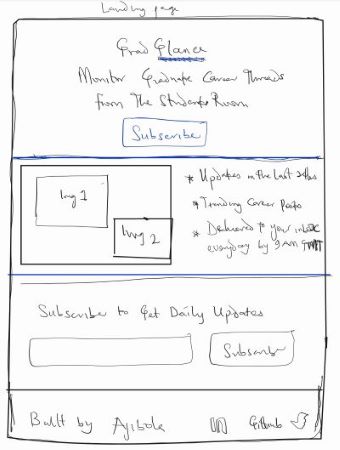 Sketch of Landing Page
I tried to keep things simple, minimal and practical and finally settled on a 3-section design for the landing page:
- The first section summarizes the objective of the service.
- The second section shows an image of daily emails, side by side the “why” of the service.
- The last section contains a form that starts the process of onboarding a new user to the service.
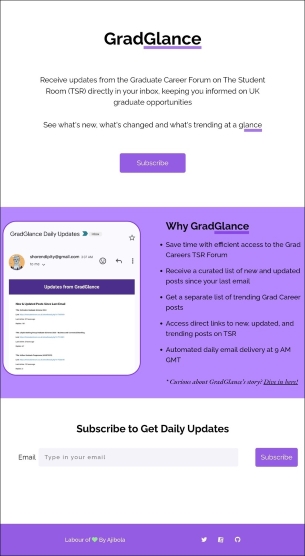 Browser-rendered Landing Page
Upon finalizing the manual designs, I worked with React, CSS and TypeScript to convert my designs to code. In fairness, there is not a lot happening on the client-side as GradGlance is a backend-heavy service. Having said that — and I acknowledge my bias here — I love the final look and feel of my designs in the browser. Turns out a not-insignificant number of users agree with me on this ☺️.
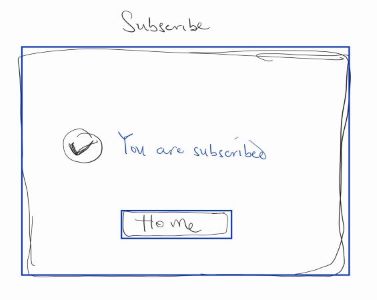
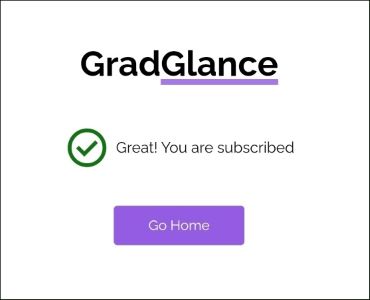
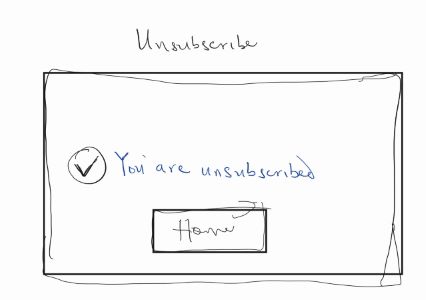
Beyond the landing page, I also designed other pages such as redirection pages for the subscription workflow on the backend. These pages help to inform the user on the status their subscription or unsubscription flows.
Subscribed Page
Displayed on the client-side after the successful subscription of a user. Images below show the initial sketch and final browser render.
 Sketch of Subscribe Page
 Browser-rendered Subscribe Page
Unsubscribed Page
Displayed on the client-side after the successful unsubscription of a user. Images below show the initial sketch and final browser render.
 Sketch of Unsubscribe Page
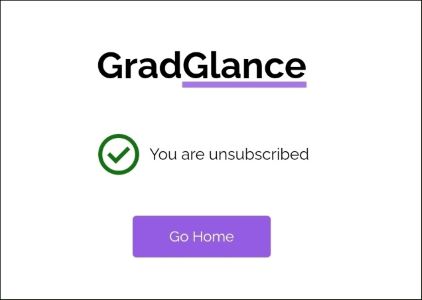 Browser-rendered Unsubscribe Page
Up Next
This article discussed the several architectural and interface design decisions that went into bringing GradGlance to life.
It is hoped that the reader leaves this article with an appreciation of how separate systems and technologies came together to create value for the end user. As well as the care and effort required to build software systems like GradGlance.
Having discussed the application design, the next article will focus on Application Deployment and Hosting.
Thanks for reading ☺️